
Digital signature from the contextual menu
Clicksign has been designed to make the digital signature process easy and intuitive. By that reason it uses the contextual menu.
1. First find your document that you want to sign on your operative filesystem.
2. When you find it place the cursor over the document and click with right button to open the contextual menu.
3. Select the option "Sign" and press left button. The digital signature process will start.
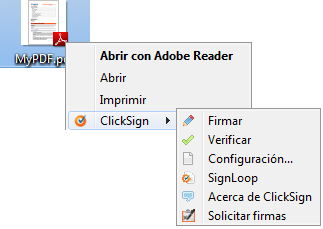
4. Clicksign access to the digital signature device and shows the following message:

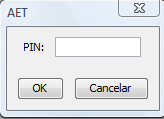
6. Once you locate the signature device Clicksign will show the PIN entry where you have to type the correct certificate PIN. Click "OK"
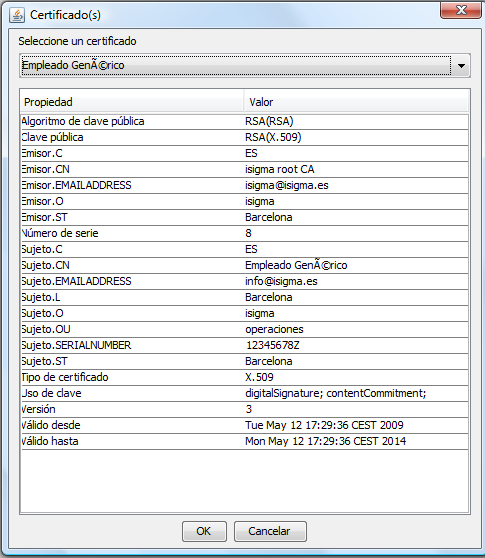
7. If the PIN is correct the next step will be to select the signature device. To do that Clicksign will show all the available signature certificates. Choose the required and click "OK".
The following message will be shown during the document signature process at the screen's top-left:

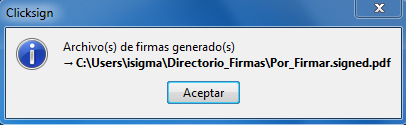
8. A dialog will be shown with the path of the signed document on finish.
|

 Sign, send, and get back your signed documents