How can I verify that my certificate is correctly installed in Windows?
For this, we have to perform the following steps:For this, we have to perform the following steps:
1. We open our Internet Explorer
2. Inside Internet Explorer, we go to the "Internet Options" menu
3. We will see a tab called "Content". We selected it.
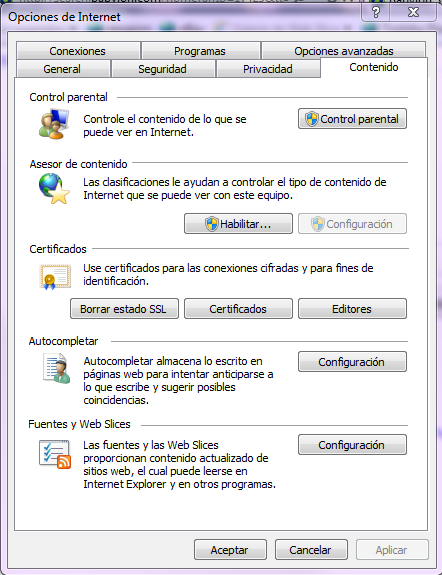
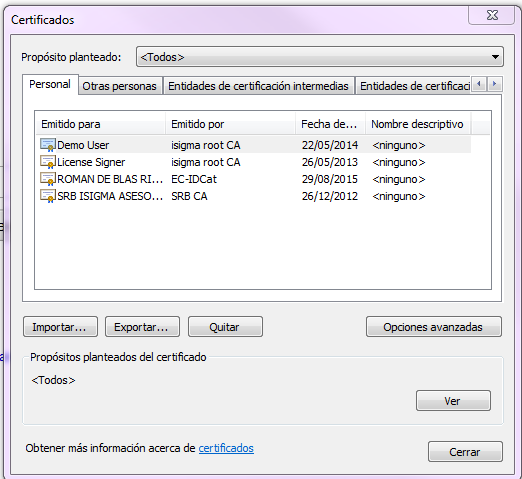
4. Click on the "Certificates" button. A dialog will open where we can check our installed certificates.4. Click on the "Certificates" button. A dialog will open where we can check our installed certificates.
5. We just have to check that our certificate is displayed in the "Personal" tab.
 Sign, send, and get back your signed documents